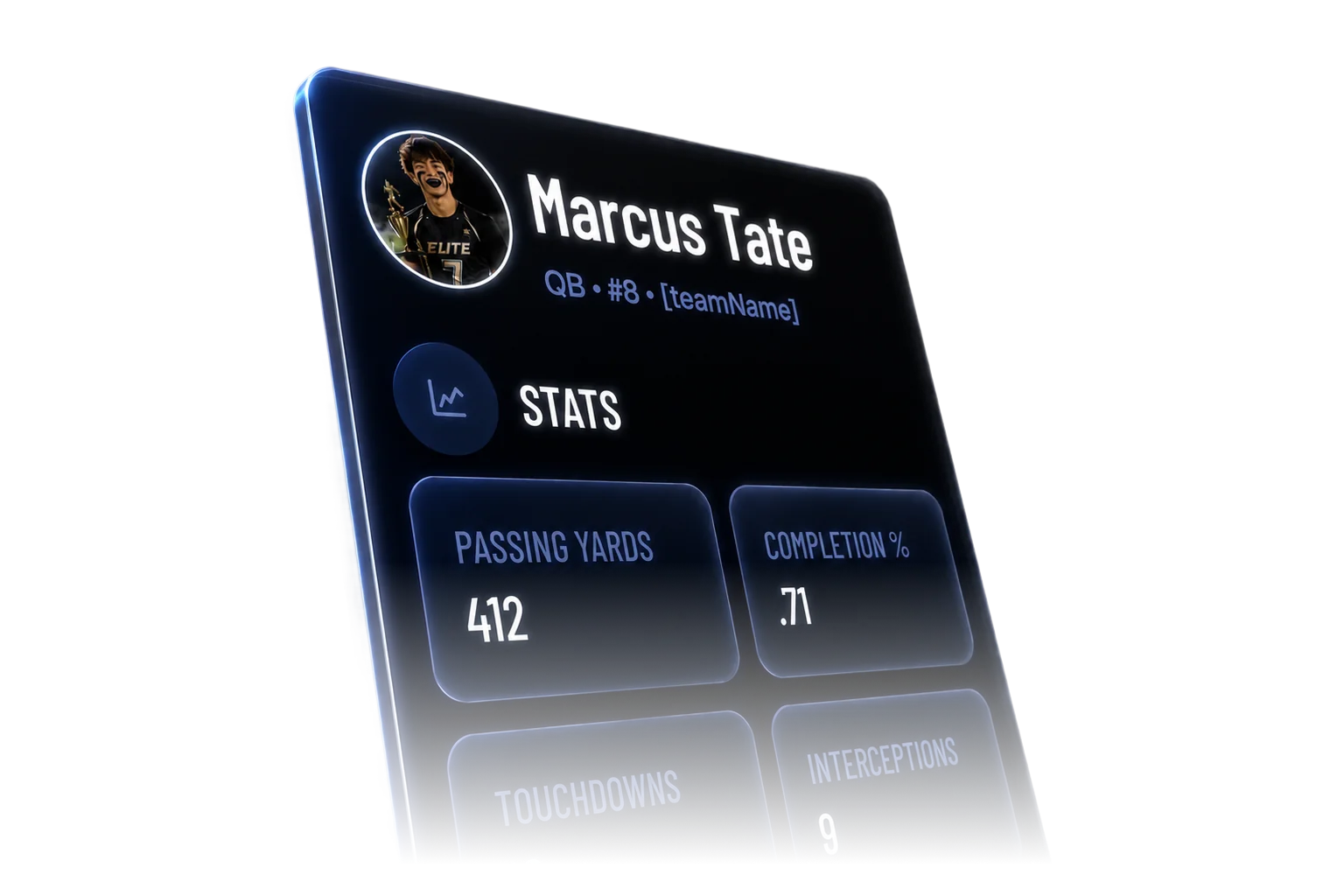
Every player walks out with a stat page
Stats populate automatically from the referee scoring app. No spreadsheets, no manual entry. One link for Instagram, recruiting emails, or the team group chat.
01
Auto-populated stats
Touchdowns, INTs, flag pulls, completions -- everything the ref tracks feeds the profile in real time. Zero data entry.
02
Game-by-game history
Every game logged with a full stat line. Players can look back across the whole season.
03
Cross-season tracking
Stats carry forward. Three years in your league means three years of history in one place.
04
Shareable public URL
One link, no login required.
05
Live updates
The profile updates the second the game ends.
The thing that keeps families
coming back.
Something to come back to
Families drift between seasons — no complaint, they just forget. Player profiles give them a reason to return: a stat page tied to your league that only grows if they keep playing with you.
History that builds loyalty
Two seasons of game history, a touchdown count the kid knows by heart, and a URL already shared in the family group chat. That pull is to your league specifically — not flag football in general.
Retention you didn't have to work for
Parents share the link after a good game — grandparents, Instagram, the team chat. Every share reinforces the connection to your league. It happens automatically because the referee scored the game.
Frequently asked
questions.
Q01Do I have to enter stats manually to populate player profiles?+
No. Stats populate automatically from the referee scoring app. When a referee logs a touchdown, interception, flag pull, or any other tracked event during a game, that stat appears on the player's profile the moment the game ends. There is no manual entry step for coaches, parents, or directors.
Q02Can players or parents see profiles without creating an account?+
Yes. Every player profile has a public URL that works without a login. Anyone with the link can view the profile on any device. Parents share it in group chats, players post it on social media, and coaches include it in recruiting emails.
Q03Do stats carry over between seasons?+
Yes. A player's profile accumulates stats across every season and tournament they participate in through Flag50. If a player has been in your league for three years, their profile shows three years of game history and cumulative stats.
Q04What stats does Flag50 track?+
The referee scoring app tracks touchdowns, PATs (1-point and 2-point conversions), interceptions, flag pulls, completions, rushing yards, passing yards, and sacks. The exact stat categories available depend on what the referee logs during the game. All tracked stats flow into the player profile automatically.
Q05Can players share their profile for recruiting purposes?+
Yes. The profile URL is public and permanent. Players can include it in emails to college coaches, post it on social media, or add it to a recruiting portfolio. The profile shows game-by-game stats, season totals, and cross-season history -- everything a coach evaluating a recruit would want to see in one place.
Run your next event
on Flag50.
Free to set up. No demo required. Most directors have their first event live within an afternoon.